
iPhone photo library
The duplicates, grouped. The choice, yours.
Sanary reads the photos, videos and contacts already on your iPhone, puts what repeats into groups, and pre-selects everything except the frame that stays. Nothing is removed until you tap Delete.
Free to download. Full access from $9.99 per week with a 3-day free trial.
What Sanary looks for
Four screens do most of the work
Each one takes a kind of clutter, groups it, and pre-selects everything except what stays. Every selection is yours to change before the delete button does anything.
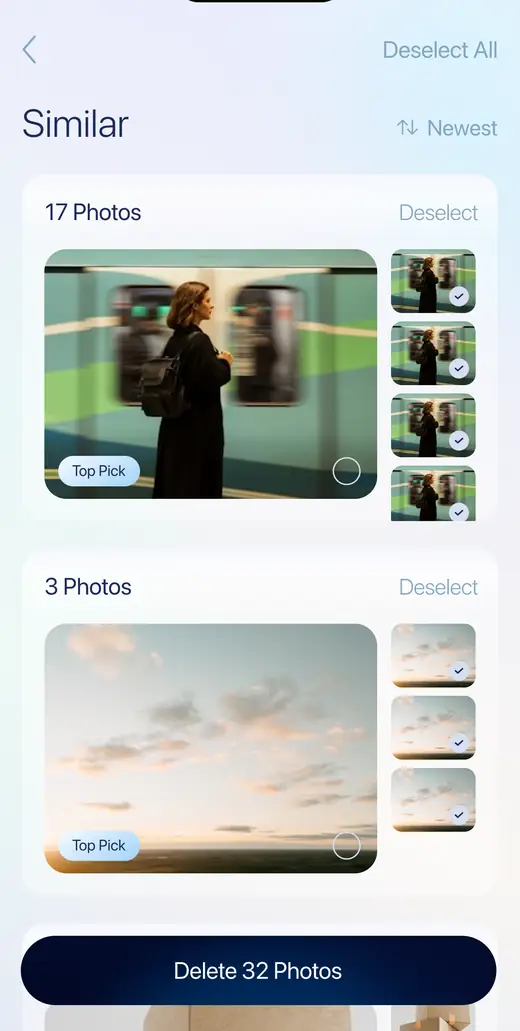
The same photo, five times over
Saved twice from a chat, re-downloaded from a message, exported again from an editor. Sanary matches the identical copies, keeps one, and ticks the rest.
Matching runs on your iPhone. Nothing is uploaded.
Select or Deselect any group to take it apart by hand.
The button names the number of items before you press it.
Get Sanary on the App Store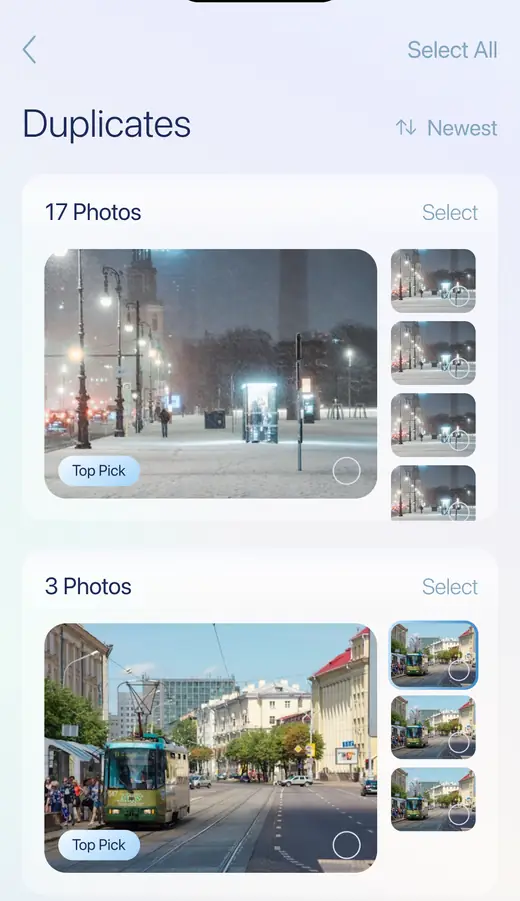
Eight tries at one good shot
Frames taken seconds apart, when you were trying to get one that worked. Sanary groups them and suggests a Top Pick — tap a different frame and that one stays instead.
Grouping and the Top Pick are suggestions, not verdicts.
Sorted newest first, so the last shoot clears first.
Burst sequences are handled the same way.
Get Sanary on the App Store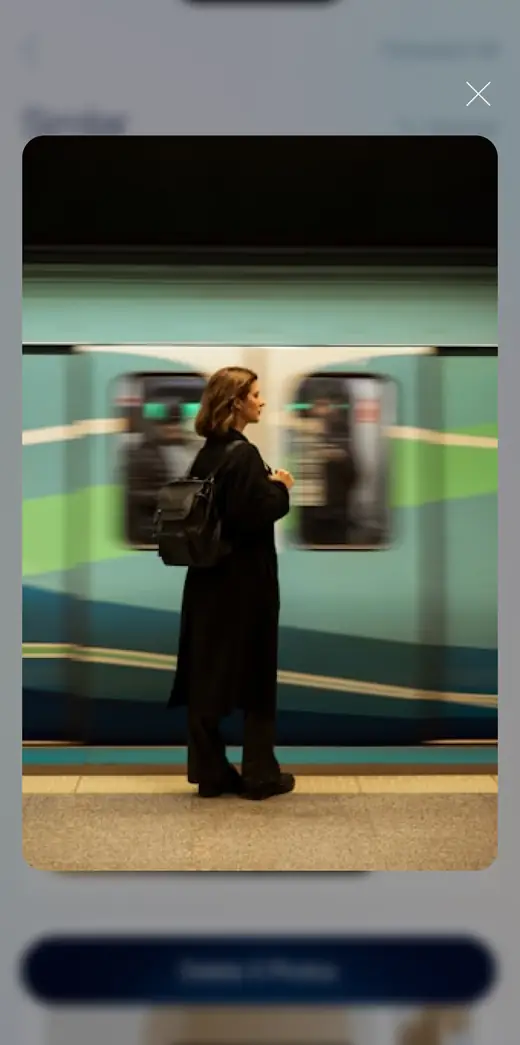
A year of receipts and boarding passes
Half a conversation, a map you needed for one afternoon, a QR code from a café. Screen captures pile up without anyone deciding to keep them. Sanary gathers every one into a single grid.
Select All is there for the passes where you already know.
Tap any thumbnail to see it full size before deciding.
Usually the fastest first pass in the app.
Get Sanary on the App Store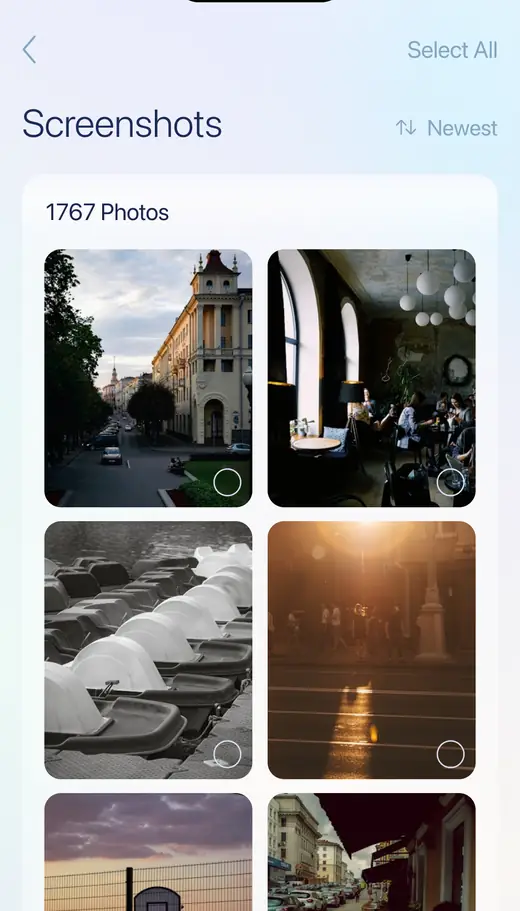
Live Photos carry a video you never watch
Every Live Photo stores a short clip alongside the still, so it takes noticeably more room than an ordinary shot. Sanary collects all of them in one place for you to go through and decide which ones are worth the motion.
Deleting one removes the still and the motion together.
Grid view, newest first, with the same selection controls.
Nothing is converted or re-encoded behind your back.
Get Sanary on the App Store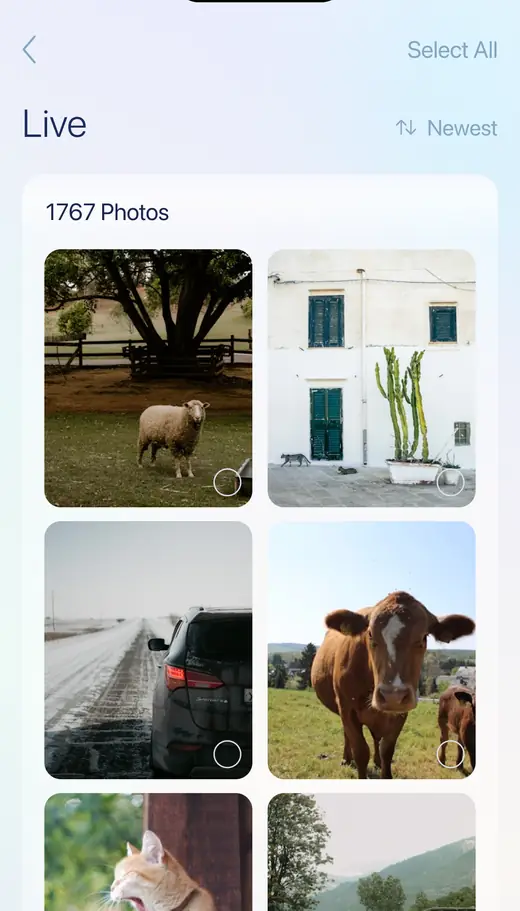
Also in the app
Three more things it handles
Large videos
Your videos listed by size, largest first, with the size shown next to each one. Long 4K clips are usually the largest single items in a library.
Duplicate contacts
Two entries for the same person, one with the number and one with the email. Sanary shows them side by side so you can see what each holds first.
Private vault
A separate area inside Sanary for photos you would rather not have in the main library. Moving anything in or out is always your action.
Why it is built this way
Four things we would want to know before installing a cleaner
It works on the device
Matching photos, grouping similar frames and comparing contacts all happen on your iPhone. Your library is not uploaded to us.
You confirm every deletion
Pre-selection is a suggestion, not a verdict. The button names the number of items, and iOS asks once more after that.
Deletions are recoverable
iOS keeps deleted items in Recently Deleted for around 30 days. Space comes back when you empty that album yourself, in the Photos app.
No ads, no ad tracking
The app carries no advertising or attribution SDKs and does not use the Advertising Identifier. What it does collect is named in the policy.

Install it from your phone
Point the camera at the code to open Sanary AI Cleaner on the App Store.
Subscription
What you pay, and how to stop paying
$9.99 / week
Best for clearing a backlog once.
- Full access to all cleaning tools
- Unlimited media review
- Smart file grouping
- Auto-renews weekly. Cancel anytime
$19.99 / month
For ongoing storage management.
- Access all cleaning tools instantly
- Review unlimited media files
- Organize files smartly
- Auto-renews monthly. Cancel anytime
- Sanary AI Cleaner is free to download. Full access to the cleaning tools is sold as an auto-renewable subscription.
- The weekly plan starts with a 3-day free trial. Payment is taken at the end of the trial unless you cancel at least 24 hours before it ends.
- Every plan renews automatically for the same period. Your Apple Account is charged within 24 hours before the current period ends, at the price shown for your region.
- If you buy a subscription while a free trial is still running, the unused part of the trial is forfeited — it does not resume afterwards.
- Cancel any time in Settings → your name → Subscriptions on your iPhone, at least 24 hours before the period ends. Cancelling stops the next charge; access continues to the end of the period you already paid for.
- Deleting the app does not cancel the subscription. It keeps renewing until you cancel it in your Apple Account settings.
- Purchases are handled by Apple, so refunds are requested from Apple, not from us, at reportaproblem.apple.com. We cannot issue or reverse a charge ourselves, but write to support@sanaryapp.com and we will help you get the request in front of the right people.
- Prices above are the United States App Store prices. In other countries Apple sets the local price and currency; the amount shown in the app before you confirm is the amount you pay.
Full conditions are in the Terms of Use. How your data is handled is in the Privacy Policy.
Common questions
Before you install it
How do I cancel the subscription?
Settings → your name → Subscriptions → Sanary AI Cleaner → Cancel Subscription, at least 24 hours before the period ends. Deleting the app does not cancel it: the subscription lives in your Apple Account, not in the app.
I deleted photos and my storage barely changed.
They are in Photos → Albums → Recently Deleted, where iOS keeps them for around 30 days and where they still occupy space. Empty that album to get the room back now. Only you can do it — no third-party app is allowed to empty it for you.
Does anything leave my phone?
The cleaning features do not: comparing photos, grouping frames, listing screenshots and videos, checking contacts and holding vault items all happen on your iPhone.
Two things are different. The app also has an Online Safety tab that checks whether an email address or password appears in publicly known breaches — to answer that, it sends what you type to Have I Been Pwned, an external index. And the app uses Adapty for subscriptions and Amplitude for usage analytics, which receive an install identifier, device model, iOS version and IP address. All of it is spelled out in the Privacy Policy.
Does Sanary speed up my iPhone?
No, and no iOS app can. iOS does not let third-party apps clear system caches, manage memory or touch other apps' data. Sanary works on one thing: the photos, videos and contacts in your own library, which on most phones is where the space actually went.
Can I undo a deletion I regret?
For photos and videos, yes — from Recently Deleted, for about 30 days. Contacts have no equivalent recovery album, which is why the contacts screen shows what each duplicate entry holds before you select anything.
Where do refunds come from?
From Apple, at reportaproblem.apple.com — purchases are processed by Apple and we never receive your payment directly, so we cannot issue or reverse a charge. Write to support@sanaryapp.com and we will help you put the request together.
More answers, and a person who replies, on the support page.
Start with the screenshots
Nothing in that grid is a memory, and it is usually the fastest way to see how much of your library you have been carrying without meaning to.